영상, 팟캐스트, 보이스오버용 AI 텍스트 음성 변환 생성기

Seed Audio 텍스트 음성 변환: 게시할 수 있는 자연스러운 AI 음성

스크립트는 있지만 녹음할 시간이 없나요? 텍스트 음성 변환 생성기에 붙여 넣으면 Seed Audio 1.0이 몇 초 만에 자연스러운 AI 음성으로 읽어줍니다. 브라우저에서 미리 듣고 YouTube, 팟캐스트, 광고, 이러닝에 바로 쓸 수 있는 MP3 또는 WAV 보이스오버를 다운로드하세요.

Seed Audio 음성 스튜디오

0/2048

@를 입력해 음성을 검색하거나 업로드한 오디오를 참조하세요

AI 음성

음성을 생성하려면 로그인하세요

로그인 후 Seed Audio 생성을 이용할 수 있습니다. 로그인해 크레딧을 사용하고 음성을 만드세요.

음성을 생성하려면 로그인하세요

음성 미리듣기

생성된 보이스오버가 여기에 표시됩니다. 미리 들은 뒤 MP3 또는 WAV로 다운로드하세요.

포함 항목: Natural AI voice · In-browser preview · MP3 and WAV download · Starter trial credits - about 30 seconds of audio · 자연스러운 AI 음성 · 브라우저 미리듣기 · MP3 및 WAV 다운로드 · 스타터 체험 크레딧 · 오디오 약 30초

아직 생성된 음성이 없습니다

생성된 보이스오버가 여기에 표시됩니다. 미리 들은 뒤 MP3 또는 WAV로 다운로드하세요.

스크립트에서 보이스오버까지 세 단계

약 한 분 만에 텍스트 음성 변환으로 보이스오버 만들기

스크립트를 붙여 넣고 생성한 뒤 다운로드하세요. 설치할 소프트웨어나 복잡한 음성 설정 없이 약 한 분 만에 빈 편집기에서 완성된 텍스트 음성 변환 보이스오버까지 만들 수 있습니다.

단계 1

Paste or type your text

Drop your script into the text box, or start from a prompt template like a YouTube intro or ad read.

단계 2

Generate natural speech

Press Generate Speech Free. Seed Audio 1.0 turns your text into a natural AI voice as a tracked task, so you always see status.

단계 3

Preview, then download MP3 or WAV

Listen to the audio preview in your browser, then download a ready-to-use MP3 or WAV file for your edit.

단계 4

텍스트 입력 또는 붙여넣기

텍스트 상자에 스크립트를 넣거나 YouTube 인트로, 광고 낭독 같은 프롬프트 템플릿으로 시작하세요.

단계 5

자연스러운 음성 생성

무료 음성 생성을 누르세요. Seed Audio 1.0이 텍스트를 자연스러운 AI 음성으로 바꾸고 추적 가능한 작업으로 처리하므로 언제든 상태를 확인할 수 있습니다.

단계 6

미리듣기 후 MP3 또는 WAV 다운로드

브라우저에서 오디오를 미리 들은 다음 편집에 바로 사용할 수 있는 MP3 또는 WAV 파일을 다운로드하세요.

텍스트 음성 변환 생성기의 기능

어떤 스크립트든 게시 가능한 텍스트 음성 변환 보이스오버로

실제로 게시할 오디오라면 중요한 기능이 필요합니다. 자연스러운 AI 음성, 믿을 수 있는 미리듣기, 실제 MP3 및 WAV 파일, 작업이 멈춰도 복구할 수 있는 생성 기능을 제공합니다.

You need a voiceover, but recording means a mic, a quiet room, and retakes.

Generate a Voiceover Without a Microphone

Type or paste your script into the text to speech generator and hear spoken audio in seconds - no recording setup. You go from written script to spoken voiceover in about a minute - nothing to install. Open it on a laptop at your desk or a phone between meetings - the generator lives in the browser, nothing to download.
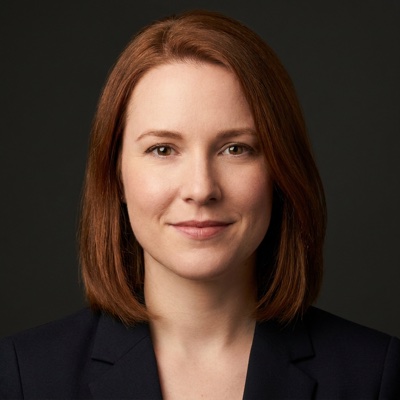
Mara Ellison
SEED AUDIO 1.0
Mara Ellison
Warm narrator
0:000:00
EN-US · Warm
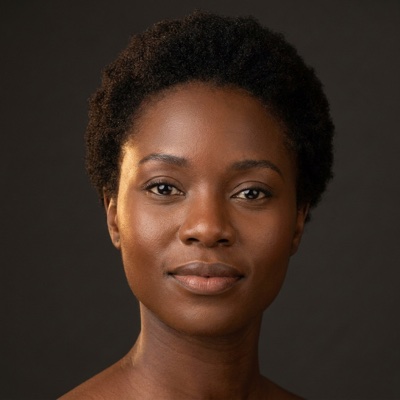
Amara Okafor
SEED AUDIO 1.0
Amara Okafor
Clear presenter
0:000:00
EN-NG · Clear
You do not have time to audition hundreds of voices, and cheap TTS sounds robotic.

Sound Human on Your First Take, Automatically

Pick nothing - automatic voice selection matches a natural AI voice from Seed Audio 1.0 to your script. Your voiceover sounds natural and publish-ready on the first take, not monotone.

With other tools you only learn the read is wrong after you have spent credits.

Hear It Before You Download - Never Waste a Credit

Play your generated speech in an in-browser preview player before you commit a single download. You catch pacing or pronunciation issues first, so you only download reads you like. Not right? Regenerate for a different take, then download - the preview turns a blind export into a confident one.

Devon Blake
SEED AUDIO 1.0
Devon Blake
Deep storyteller
0:000:00
EN-UK · Deep
Priya Nair
SEED AUDIO 1.0
Priya Nair
Bright host
0:000:00
EN-IN · Bright
A voice you can only stream is useless when you need it in your edit.

Download an MP3 or WAV That Drops Straight Into Your Edit

Download every generated voiceover as an MP3 or a WAV file, ready to import. You get a file that imports into your editor - MP3 to upload, WAV to edit.

Staring at an empty text box slows you down when you just want a script.

Skip the Blank Page With Ready-Made Prompt Templates

Start from a ready-made template - a YouTube intro, an ad read, a lesson narration - then tweak and generate. You skip the blank-page pause and generate a usable voiceover in fewer steps.

Lucas Meyer
SEED AUDIO 1.0
Lucas Meyer
Steady explainer
0:000:00
EN-DE · Steady
When a generation stalls elsewhere, you are left guessing if your credits are gone.

Recover a Failed Run Without Losing Your Work

Watch each run as an async task with live status, and hit a friendly retry if it stalls. You always know where your voiceover stands and can recover without starting over. Your text stays in the box the whole time, so a long script never means retyping after a stall.

보이스오버는 필요하지만 녹음하려면 마이크, 조용한 방, 재녹음이 필요합니다.

마이크 없이 보이스오버 생성

텍스트 음성 변환 생성기에 스크립트를 입력하거나 붙여 넣고 녹음 준비 없이 몇 초 만에 음성을 들어보세요. 설치할 것 없이 약 한 분 만에 작성된 스크립트를 음성 보이스오버로 바꿉니다. 책상 앞 노트북이나 회의 사이의 휴대전화에서 여세요. 생성기는 브라우저에서 작동하므로 다운로드할 것이 없습니다.

Mara Ellison
SEED AUDIO 1.0
Mara Ellison
Warm narrator
0:000:00
EN-US · Warm
Amara Okafor
SEED AUDIO 1.0
Amara Okafor
Clear presenter
0:000:00
EN-NG · Clear
수백 개의 음성을 일일이 들어볼 시간은 없고 저가 TTS는 로봇처럼 들립니다.

첫 시도부터 자동으로 사람처럼 자연스럽게

아무것도 고르지 않아도 됩니다. 자동 음성 선택이 Seed Audio 1.0의 자연스러운 AI 음성을 스크립트에 맞춰줍니다. 단조로운 음성이 아니라 첫 시도부터 자연스럽고 게시 준비가 끝난 보이스오버를 얻습니다.

다른 도구에서는 크레딧을 쓴 뒤에야 낭독이 잘못됐다는 사실을 알게 됩니다.

다운로드 전에 듣고 크레딧 낭비를 막으세요

다운로드하기 전에 브라우저 미리듣기 플레이어에서 생성된 음성을 재생하세요. 속도나 발음 문제를 먼저 발견해 마음에 드는 낭독만 다운로드할 수 있습니다. 마음에 들지 않나요? 다른 버전으로 다시 생성한 뒤 다운로드하세요. 미리듣기 덕분에 결과를 보지 못한 채 내보낼 필요가 없습니다.

Devon Blake
SEED AUDIO 1.0
Devon Blake
Deep storyteller
0:000:00
EN-UK · Deep
Priya Nair
SEED AUDIO 1.0
Priya Nair
Bright host
0:000:00
EN-IN · Bright
편집에 넣어야 하는 음성을 스트리밍으로만 들을 수 있다면 쓸모가 없습니다.

편집에 바로 넣을 수 있는 MP3 또는 WAV 다운로드

생성된 모든 보이스오버를 가져오기 준비가 끝난 MP3 또는 WAV 파일로 다운로드하세요. 업로드용 MP3나 편집용 WAV를 편집기에 바로 가져올 수 있습니다.

스크립트만 있으면 되는데 빈 텍스트 상자를 바라보느라 작업이 느려집니다.

준비된 프롬프트 템플릿으로 빈 화면을 건너뛰세요

YouTube 인트로, 광고 낭독, 수업 내레이션 같은 준비된 템플릿으로 시작한 뒤 수정하고 생성하세요. 빈 화면에서 멈추는 시간을 줄이고 더 적은 단계로 쓸 만한 보이스오버를 생성합니다.

Lucas Meyer
SEED AUDIO 1.0
Lucas Meyer
Steady explainer
0:000:00
EN-DE · Steady
다른 곳에서 생성이 멈추면 크레딧이 사라졌는지 알 수 없습니다.

작업을 잃지 않고 실패한 생성을 복구하세요

각 생성을 실시간 상태가 표시되는 비동기 작업으로 확인하고 멈추면 간편하게 다시 시도하세요. 보이스오버의 진행 상태를 항상 알고 처음부터 다시 시작하지 않고 복구할 수 있습니다. 텍스트가 항상 입력 상자에 남아 있어 긴 스크립트도 작업이 멈춘 뒤 다시 입력할 필요가 없습니다.

Seed Audio 텍스트 음성 변환을 사용하는 사람들

텍스트 음성 변환으로 게시할 콘텐츠에 음성을 더하세요

영상에 음성을 입히거나 팟캐스트 빈 구간을 채우거나 광고를 편집하거나 강의를 내레이션할 때도 붙여넣기-생성-다운로드로 이어지는 동일한 텍스트 음성 변환 흐름을 사용할 수 있습니다.

Video content creators

Text to Speech for YouTube and TikTok, Fast Enough to Post Daily

Turn a video script into a natural voiceover fast enough to keep a regular publishing cadence. You paste your video script, generate a natural AI voice, preview it against your cut, and download an MP3 or WAV that drops onto your timeline.

Kai Tan
SEED AUDIO 1.0
Kai Tan
Punchy creator
0:000:00
EN-SG · Bright
Yuki Tanaka
SEED AUDIO 1.0
Yuki Tanaka
Gentle guide
0:000:00
EN-JP · Gentle
Podcasters

Fill Podcast Gaps Without Booking Studio Time

Fill narration or intro and outro segments without booking studio time or re-recording pickups. You paste the podcast narration copy - intros, ad spots, chapter bridges - generate a natural AI voice, then download a lossless WAV that mixes into your episodes.

Marketers

Ship Ad and Promo Voice Reads on a Tight Deadline

Produce polished ad voice reads and promo spots quickly for campaigns, demos, and social ads. You draft the ad copy, start from a template, and let the AI voice generator produce a crisp promo read - MP3 for social, WAV for broadcast.

Noah Bennett
SEED AUDIO 1.0
Noah Bennett
Easy promo
0:000:00
EN-AU · Easy
Sofia Marchetti
SEED AUDIO 1.0
Sofia Marchetti
Calm teacher
0:000:00
EN-IT · Calm
E-learning course creators

Narrate a Whole Course Without a Recording Booth

Narrate many course lessons consistently without recording every module by hand. You paste each lesson script and generate consistent e-learning narration across every module, then download WAV files that sync cleanly with your slides - no booth required.

영상 콘텐츠 크리에이터

매일 게시할 수 있을 만큼 빠른 YouTube·TikTok 텍스트 음성 변환

꾸준한 게시 일정을 지킬 수 있도록 영상 스크립트를 빠르게 자연스러운 보이스오버로 바꾸고 싶어요. 영상 스크립트를 붙여 넣고 자연스러운 AI 음성을 생성해 편집본과 함께 미리 들은 뒤 타임라인에 바로 넣을 수 있는 MP3 또는 WAV를 다운로드하세요.

Kai Tan
SEED AUDIO 1.0
Kai Tan
Punchy creator
0:000:00
EN-SG · Bright
Yuki Tanaka
SEED AUDIO 1.0
Yuki Tanaka
Gentle guide
0:000:00
EN-JP · Gentle
팟캐스터

스튜디오 예약 없이 팟캐스트 빈 구간 채우기

스튜디오를 예약하거나 추가 녹음을 하지 않고 내레이션, 인트로, 아웃트로 구간을 채우고 싶어요. 인트로, 광고 문구, 챕터 연결 멘트 등 팟캐스트 내레이션 원고를 붙여 넣고 자연스러운 AI 음성을 생성한 다음 에피소드에 섞기 좋은 무손실 WAV를 다운로드하세요.

마케터

촉박한 마감에도 광고·프로모션 음성을 완성하세요

캠페인, 데모, 소셜 광고용으로 완성도 높은 광고 음성과 프로모션 스폿을 빠르게 만들고 싶어요. 광고 문구를 작성하고 템플릿에서 시작한 뒤 AI 음성 생성기로 선명한 프로모션 낭독을 만드세요. 소셜용 MP3와 방송용 WAV로 내보낼 수 있습니다.

Noah Bennett
SEED AUDIO 1.0
Noah Bennett
Easy promo
0:000:00
EN-AU · Easy
Sofia Marchetti
SEED AUDIO 1.0
Sofia Marchetti
Calm teacher
0:000:00
EN-IT · Calm
이러닝 강의 제작자

녹음 부스 없이 강의 전체를 내레이션하세요

모든 모듈을 직접 녹음하지 않고 여러 강의 수업을 일관된 음성으로 내레이션하고 싶어요. 각 수업 스크립트를 붙여 넣어 모든 모듈에서 일관된 이러닝 내레이션을 생성한 뒤 슬라이드와 깔끔하게 맞는 WAV 파일을 다운로드하세요. 녹음 부스가 필요 없습니다.

믿을 수 있는 품질과 이용 권한

로봇이 아닌 사람처럼 들리고 상업적으로 게시하세요

로봇처럼 들리는 텍스트 음성 변환에 지쳤나요? Seed Audio 1.0은 자연스럽고 사람 같은 표현에 맞춰져 있으며 다운로드한 모든 파일을 플랜 약관에 따라 상업적으로 이용할 수 있습니다.

Powered by the Seed Audio 1.0 model

Speech is generated by the Seed Audio 1.0 model, tuned for natural, human-sounding delivery rather than flat robotic playback.

Generation, preview, and download work today

Text to speech generation, in-browser preview, and MP3 and WAV download are all supported right now - not a waitlist or a coming-soon promise.

MP3 and WAV, ready to use

Download every voiceover as an MP3 for quick uploads or a WAV for lossless editing, ready to drop into your video, podcast, or course.

Commercial use supported per plan terms

Commercial use is supported per plan terms, covering projects like monetized YouTube videos, podcasts, and ads - stated honestly, not over-claimed.

Start free with trial credits

The Free plan includes starter trial credits - about 30 seconds of generated audio - so you can hear the voices before you pay.

Reliable async generation with retry

Longer scripts run as tracked tasks with visible status and a friendly retry, so a stalled generation never leaves you stuck.

Seed Audio 1.0 모델 기반

평평한 로봇 재생이 아닌 자연스럽고 사람 같은 표현에 맞춰진 Seed Audio 1.0 모델로 음성을 생성합니다.

생성, 미리듣기, 다운로드를 지금 이용 가능

텍스트 음성 변환 생성, 브라우저 미리듣기, MP3 및 WAV 다운로드를 모두 지금 이용할 수 있습니다. 대기 명단이나 출시 예정 약속이 아닙니다.

바로 사용할 수 있는 MP3 및 WAV

빠른 업로드용 MP3 또는 무손실 편집용 WAV로 모든 보이스오버를 다운로드해 영상, 팟캐스트, 강의에 바로 넣으세요.

플랜 약관에 따라 상업적 이용 지원

수익화 YouTube 영상, 팟캐스트, 광고 같은 프로젝트에 플랜 약관에 따라 상업적 이용을 지원합니다. 과장하지 않고 명확하게 안내합니다.

체험 크레딧으로 무료 시작

무료 플랜에는 생성 오디오 약 30초 분량의 스타터 체험 크레딧이 포함되어 결제 전에 음성을 들을 수 있습니다.

재시도를 지원하는 안정적인 비동기 생성

긴 스크립트는 상태가 표시되는 추적 작업으로 실행되며 간편한 재시도를 지원해 생성이 멈춰도 막히지 않습니다.

단순하고 투명한 크레딧

무료로 시작하고 생성한 텍스트 음성 변환만큼만 결제하세요

무료 플랜의 스타터 체험 크레딧으로 시작하세요. 생성 오디오 약 30초를 제공하므로 결제 전에 음성을 들을 수 있습니다. 더 필요하면 1,500크레딧(약 25분) $9.99부터 크레딧 팩을 구매할 수 있고, 스케일 플랜은 월 $199에 45,000크레딧(약 750분)을 제공합니다. 모든 플랜에서 텍스트 음성 변환 생성, 미리듣기, 다운로드를 이용할 수 있으며 숨겨진 조건 없이 명확합니다.

Free

Starter trial credits - about 30 seconds of generated audio - with full generation, preview, and MP3 and WAV download.

Credit packs

Pay as you go from $9.99 for 1,500 credits, about 25 minutes of audio.

Scale

$199/month for 45,000 credits, about 750 minutes of audio, for high-volume creators.

무료

전체 생성, 미리듣기, MP3 및 WAV 다운로드와 생성 오디오 약 30초 분량의 스타터 체험 크레딧.

크레딧 팩

1,500크레딧, 오디오 약 25분을 $9.99부터 필요한 만큼 결제하세요.

스케일

대량 작업 크리에이터를 위한 월 $199, 45,000크레딧, 오디오 약 750분.

자주 묻는 질문

첫 보이스오버를 만들기 전에 크리에이터가 궁금해하는 모든 내용입니다.

What is text to speech and how does Seed Audio's generator work?

Text to speech converts written text into spoken audio. With Seed Audio, you paste or type your script into the in-page generator, press Generate Speech Free, and the Seed Audio 1.0 model turns it into a natural AI voice. You then preview the audio in your browser and download it as an MP3 or WAV.

Is Seed Audio's text to speech free?

You can start free. The Free plan includes starter trial credits - about 30 seconds of generated audio - with full text to speech generation, preview, and download. When you need more, credit packs start at $9.99 for 1,500 credits (about 25 minutes), and the Scale plan is $199/month for 45,000 credits (about 750 minutes).

Do the AI voices sound natural or robotic?

Natural is the whole point. The Seed Audio 1.0 model is built for human-sounding delivery with realistic intonation and pacing, so your voiceover avoids the flat, monotone drone that makes older text to speech sound robotic. You can preview any generation before you download it to hear for yourself.

Can I download the audio as MP3 and WAV?

Yes. Every generated voiceover can be downloaded as an MP3 for quick sharing and uploads or as a WAV for lossless, edit-ready quality. Both formats are ready to use and import straight into your video or audio editor.

Can I use text to speech audio on YouTube or in commercial projects?

Commercial use is supported per plan terms, which covers projects like monetized YouTube videos, podcasts, and ads. YouTube itself allows AI voiceovers as long as your video adds real value and is not mass-produced filler, so pairing Seed Audio with your own script and editing keeps you on the right side of its rules.

Which voices can I use, and how does automatic voice selection work?

Seed Audio offers multiple AI voices and automatically matches a natural-sounding one to your text, so you do not have to audition a huge catalog to get a good read. That keeps the workflow fast while still giving you clear, publish-ready speech.

How much does Seed Audio cost after the free trial credits?

Credit packs start at $9.99 for 1,500 credits (about 25 minutes of audio) if you want pay-as-you-go, and the Scale plan is $199/month for 45,000 credits (about 750 minutes) for high-volume creators. You spend credits only on the audio you actually generate.

What happens if a generation fails or takes a while?

Longer scripts generate as a tracked async task, so you see live status instead of a frozen screen. If a run does not finish, Seed Audio shows a friendly retry rather than a dead end, and your text stays in the box so you can pick up where you left off.

Do I need an account to generate speech?

Yes. Sign in before generating speech so Seed Audio can apply your credits and keep your generation history available.

텍스트 음성 변환이란 무엇이며 Seed Audio 생성기는 어떻게 작동하나요?

텍스트 음성 변환은 작성된 텍스트를 말하는 오디오로 바꿉니다. Seed Audio에서는 페이지의 생성기에 스크립트를 붙여 넣거나 입력하고 무료 음성 생성을 누르면 Seed Audio 1.0 모델이 자연스러운 AI 음성으로 변환합니다. 브라우저에서 오디오를 미리 듣고 MP3 또는 WAV로 다운로드할 수 있습니다.

Seed Audio 텍스트 음성 변환은 무료인가요?

무료로 시작할 수 있습니다. 무료 플랜에는 전체 텍스트 음성 변환 생성, 미리듣기, 다운로드와 생성 오디오 약 30초 분량의 스타터 체험 크레딧이 포함됩니다. 더 필요하면 1,500크레딧(약 25분) $9.99부터 크레딧 팩을 구매하거나 월 $199에 45,000크레딧(약 750분)을 제공하는 스케일 플랜을 이용하세요.

AI 음성은 자연스럽게 들리나요, 로봇처럼 들리나요?

자연스러움이 핵심입니다. Seed Audio 1.0 모델은 사실적인 억양과 속도로 사람처럼 표현하도록 설계되어 기존 텍스트 음성 변환의 평평하고 단조로운 로봇 느낌을 피합니다. 다운로드 전에 모든 생성 결과를 미리 듣고 직접 확인할 수 있습니다.

오디오를 MP3와 WAV로 다운로드할 수 있나요?

네. 생성된 모든 보이스오버를 빠른 공유와 업로드용 MP3 또는 무손실 편집 품질의 WAV로 다운로드할 수 있습니다. 두 형식 모두 바로 사용하고 영상 또는 오디오 편집기에 곧바로 가져올 수 있습니다.

YouTube나 상업 프로젝트에 텍스트 음성 변환 오디오를 사용할 수 있나요?

수익화 YouTube 영상, 팟캐스트, 광고 같은 프로젝트에 플랜 약관에 따라 상업적 이용을 지원합니다. YouTube도 영상이 실질적인 가치를 더하고 대량 생산된 채우기 콘텐츠가 아니라면 AI 보이스오버를 허용하므로 Seed Audio에 직접 작성한 스크립트와 편집을 결합하면 규정을 지킬 수 있습니다.

어떤 음성을 사용할 수 있고 자동 음성 선택은 어떻게 작동하나요?

Seed Audio는 여러 AI 음성을 제공하며 텍스트에 자연스럽게 어울리는 음성을 자동으로 선택합니다. 좋은 낭독을 얻으려고 방대한 카탈로그를 일일이 들을 필요가 없어 빠르게 게시 준비가 된 선명한 음성을 만들 수 있습니다.

무료 체험 크레딧 이후 Seed Audio 비용은 얼마인가요?

종량제를 원하면 1,500크레딧(오디오 약 25분) $9.99부터 크레딧 팩을 구매할 수 있고, 대량 작업 크리에이터용 스케일 플랜은 월 $199에 45,000크레딧(약 750분)을 제공합니다. 실제로 생성한 오디오에만 크레딧을 사용합니다.

생성이 실패하거나 오래 걸리면 어떻게 되나요?

긴 스크립트는 추적 가능한 비동기 작업으로 생성되어 멈춘 화면 대신 실시간 상태를 볼 수 있습니다. 작업이 완료되지 않으면 Seed Audio가 막다른 화면 대신 간편한 재시도를 제공하며 텍스트도 입력 상자에 남아 중단한 곳에서 계속할 수 있습니다.

음성을 생성하려면 계정이 필요한가요?

네. Seed Audio가 크레딧을 적용하고 생성 기록을 보관할 수 있도록 음성을 생성하기 전에 로그인하세요.

스크립트가 기다리고 있어요

지금 텍스트 음성 변환으로 자연스러운 보이스오버를 만드세요