




Free Trial
For trying one short Seed Audio generation
$0
30 credits≈ 30 seconds of generated audio
- 30 one-time trial credits
- No credit card required
- Trial credits are issued once per account
- Shared generation queue
Seed Audio 能生成的不只是旁白朗讀。這個 Demo 展示了一段電影風格動作場景:槍聲、移動、環境音和戲劇化聲音設計被合成為一個可直接使用的音訊片段。

輸入 @ 搜尋聲音或引用已上傳的音訊
選擇 AI 語音
Seed Audio 生成需要先登入。登入後可使用你的點數並開始生成任務。
生成的 AI 文字轉語音音訊會顯示在這裡。
包含: AI Voice · BGM · SFX · Ambience · AI 語音 · BGM · SFX · 環境音
尚未生成 AI 語音
生成的 AI 文字轉語音音訊會顯示在這裡。
一個提示詞可以同時承載動作、空間、節奏和製作細節。播放下面最新的 Seed Audio 結果,聽槍聲、移動、雨聲、跳彈、碎玻璃和對白如何被渲染成一段完整聲音場景。
傳統 text to speech 只是朗讀腳本。Seed Audio 1.0 更像一個 AI Text to Speech Voice Generator:它可以從一個創意提示詞裡塑造說話意圖、情緒、節奏、環境音、背景音樂和音效。
Seed Audio 1.0 把 AI Text to Speech、AI voice generation、多角色對話、情緒方向、環境音、背景音樂和音效連接起來,讓每個功能都對應真實創意任務。
機器人式旁白會讓影片、廣告、示範和教學顯得未完成。
使用 Seed Audio 1.0 AI Text to Speech Voice Generator,從腳本、提示詞或短 brief 建立有表現力的 voiceovers。
發布更接近真實演繹、並貼合創意語境的 AI voiceover audio。
短故事、廣告、產品示範和講解場景經常需要不止一個說話人。
用多個角色、不同聲音、說話意圖和表達說明來提示 AI Voice Generator。
無需手動錄制每個角色,也能用 Seed Audio 1.0 建立小型 cast。
平淡表達會削弱 hook、笑點、懸念、創始人故事、教學和 CTA。
把語氣、速度、情緒、重音和情感方向直接寫進 AI Text to Speech prompt。
讓 AI voice performance 匹配場景、資訊和受眾。
只有聲音時,內容容易和視覺場景或產品語境脫節。
描述錄音棚、街道、辦公室、商店、咖啡館、教室、自然或電影感地點等背景空間。
讓聽眾立刻感知 AI voice 所處的環境。
廣告、講解、教學和故事場景常需要貼合情緒線的 music beds。
在 AI Text to Speech scene 中請求 subtle、energetic、cinematic、upbeat、calm 或 dramatic BGM。
用一個 Seed Audio 1.0 prompt 生成更完整的聲音層。
小動作、轉場、提示和電影感節拍需要可聽見的 cues 才真實。
在 AI Text to Speech prompt 中加入門聲、通知、腳步、點選、whooshes、產品交互或 cinematic hits 等 SFX。
不用單獨做聲音設計,也能讓關鍵時刻成立。
Write the scene once, then specify emotional beats, pacing, speaker roles, and environment so the Seed Audio 1.0 Voice Generator can create a mini audio production from one prompt.
選擇你的 AI Text to Speech 場景
Clear, confident AI voiceovers that explain and sell.
你的提示詞
描述你的腳本、場景和需要的 AI voice。
已生成的 AI 語音
Studio-quality AI Text to Speech voiceover,可直接用於影片。
聲音圖層
圍繞 Voice Generator 輸出新增、編輯和平衡聲音層。
Narrator Voice
100%Soft BGM
60%Light Ambience
35%
選擇你的 AI Text to Speech 場景
Step-by-step AI Text to Speech narration that teaches and keeps viewers engaged.
你的提示詞
描述你的腳本、場景和需要的 AI voice。
已生成的 AI 語音
Studio-quality AI Text to Speech voiceover,可直接用於影片。
聲音圖層
圍繞 Voice Generator 輸出新增、編輯和平衡聲音層。
Guide Voice
92%Room Tone
38%Click SFX
44%
選擇你的 AI Text to Speech 場景
Natural AI Text to Speech narration that feels casual, relatable, and authentic.
你的提示詞
描述你的腳本、場景和需要的 AI voice。
已生成的 AI 語音
Studio-quality AI Text to Speech voiceover,可直接用於影片。
聲音圖層
圍繞 Voice Generator 輸出新增、編輯和平衡聲音層。
Creator Voice
88%Upbeat BGM
72%Phone Ambience
48%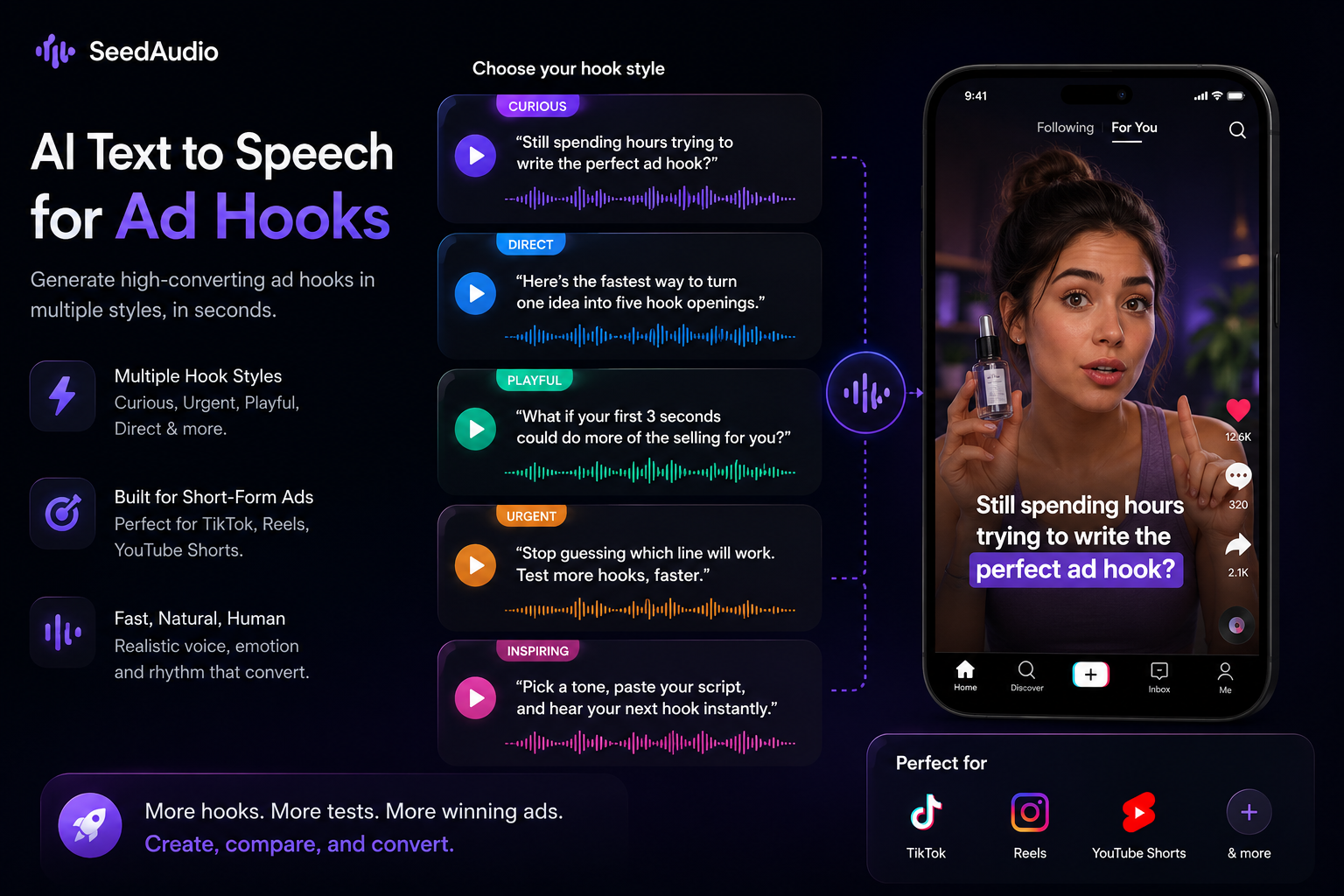
選擇你的 AI Text to Speech 場景
Fast AI voiceover options for short ads, creator hooks, and product intros.
你的提示詞
描述你的腳本、場景和需要的 AI voice。
已生成的 AI 語音
Studio-quality AI Text to Speech voiceover,可直接用於影片。
聲音圖層
圍繞 Voice Generator 輸出新增、編輯和平衡聲音層。
Hook Voice
94%Upbeat BGM
76%Notification SFX
52%使用 Seed Audio 1.0 為故事場景生成 AI Text to Speech 旁白、多說話人對話、沈浸式環境音和錄音棚品質音訊。
2. 隱密通道
新出現的石壁刻痕指向打開通道的線索。
Elara
Calm, observant, intelligent

Kael
Brave, cautious, tense
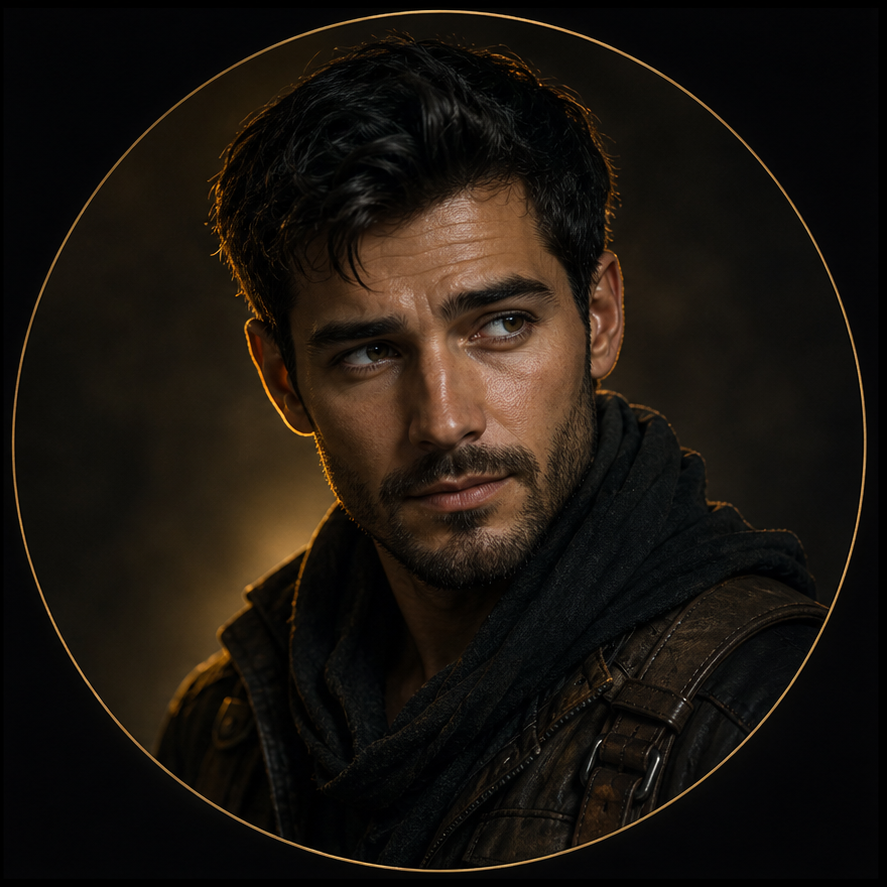
緊張、神祕、充滿冒險感
古老洞穴、滴水聲、火把燃燒聲、石塊隆隆聲
AI 文字轉語音輸出
已生成的故事音訊
Speaker A
Elara
Speaker B
Kael
環境音
古老洞穴
Narrated Scene
Expressive AI Text to Speech with clear scene direction
Studio Quality
Crisp, expressive, emotion-rich AI voice audio
Immersive Ambience
Layered environments bring story scenes to life
Export Ready
WAV, MP3, and project exports for generated voice scenes
先寫一次場景,再指定情緒節拍、節奏、角色和環境,讓 Seed Audio 1.0 Voice Generator 用一個提示詞建立小型音訊製作。
提示詞
旁白:創辦人的反思。聲音:逼真的 AI 文字轉語音。情緒:先好奇,接著篤定。場景:深夜咖啡館,搭配柔和空間底噪。
已生成的 AI 語音
試用故事語音場景
先使用一次性免費試用,再購買永久有效的點數,或訂閱高用量方案。
For trying one short Seed Audio generation
For quick tests, small projects, and occasional usage
For creators, developers, and regular audio workflows
For high-volume generation and production workflows
Lowest per-minute price for high-volume usage.
適合嘗試一次短 Seed Audio 生成
適合快速測試、小專案和偶爾使用
適合創作者、開發者和常規音訊工作流程
適合高用量生成和生產工作流程
高用量場景下最低的每分鐘價格。
Seed Audio 1.0 AI Text to Speech turns scripts, prompts, and creative briefs into generated audio with AI voice, ambience, background music, and sound effects for creative production.
Yes. Seed Audio 1.0 can be used as a Voice Generator for realistic AI voiceovers, multi-role dialogue, narration, product demos, story scenes, tutorials, ads, and social videos.
Describe the script, speaker, tone, emotion, pacing, and sound scene you want. The AI Text to Speech Voice Generator then creates AI voice audio and can include ambience, music, and sound effects in the same workflow.
Traditional text to speech usually reads a script with one voice. Seed Audio 1.0 AI Text to Speech can also follow creative direction for role, emotion, pacing, ambience, background music, and sound effects.
Yes. The AI Voice Generator is designed to create realistic AI voiceovers for product explainers, YouTube tutorials, TikTok UGC narration, demos, ads, and story scenes.
Yes. You can prompt multiple roles and delivery styles so the Voice Generator creates dialogue with different speakers, tones, and emotional direction.
Yes. Seed Audio 1.0 can create product demo voiceovers, social videos, ads, tutorials, and other commercial creative audio. In the same prompt, you can guide emotion, pacing, tone, voice style, ambience, background music, and sound effects.
The intended output is downloadable generated audio for videos, demos, ads, story scenes, tutorials, and other creative workflows.
The prompt input supports up to 2048 characters. If your prompt is longer than 2048 characters, shorten it before generating audio.
Seed Audio 1.0 AI Text to Speech is useful for creators, marketers, educators, founders, agencies, studios, and product builders that need AI voiceovers, dialogue, ambience, music, and sound effects without a full recording session.
Yes. AI Text to Speech can generate multi-speaker dialogue when the Voice Generator receives roles and delivery notes.
Yes. AI Text to Speech can help create draft or production-ready voiceovers without booking a studio session.
Seed Audio 1.0 AI Text to Speech 可以把腳本、提示詞和創意 brief 生成帶 AI voice、環境音、背景音樂和音效的創意製作音訊。
是的。Seed Audio 1.0 可以作為 Voice Generator,用於真實 AI voiceovers、多角色對話、旁白、產品示範、故事場景、教學、廣告和社交影片。
描述腳本、說話人、語氣、情緒、節奏和聲音場景後,AI Text to Speech Voice Generator 會生成 AI voice audio,並可在同一工作流程中加入環境音、音樂和音效。
傳統 text to speech 通常只用一個聲音讀腳本。Seed Audio 1.0 AI Text to Speech 還可以跟隨角色、情緒、節奏、環境音、背景音樂和音效等創意方向。
可以。AI Voice Generator 適合為產品講解、YouTube 教學、TikTok UGC 旁白、示範、廣告和故事場景建立真實 AI voiceovers。
可以。你可以提示多個角色和表達方式,讓 Voice Generator 生成不同說話人、語氣和情緒方向的對話。
可以。Seed Audio 1.0 可以建立產品示範配音、社交影片、廣告、教學和其他商業創意音訊。你也可以在同一個提示詞裡控制情緒、節奏、語氣、聲音風格、環境音、背景音樂和音效。
預期輸出是可下載的生成音訊,可用於影片、示範、廣告、故事場景、教學和其他創意工作流程。
提示詞輸入最高支援 2048 個字元。如果提示詞超過 2048 個字元,請先縮短再生成音訊。
Seed Audio 1.0 AI Text to Speech 適合創作者、行銷人員、教育者、創始人、代理商、工作室和產品製作者,用來生成 AI voiceovers、對話、環境音、音樂和音效,無需完整錄音流程。
可以。當 Voice Generator 接收角色和表達說明後,AI Text to Speech 可以生成多說話人對話。
可以。AI Text to Speech 可以幫助你不預約錄音棚也能建立草稿或可投入製作的 voiceovers。
使用我們的 AI Text to Speech Voice Generator,為影片、示範、廣告、教學和故事場景建立 voiceovers、對話、環境音、背景音樂和音效。